

A 3D body atlas is a digital tool that lets you explore human anatomy as interactive, three-dimensional models rather than flat diagrams. You can rotate the body, zoom into specific regions, and peel away layers to see exactly how structures connect in space.
This guide covers how these tools work, what features to look for, and how different platforms—from free web viewers to immersive VR—compare for learning anatomy.
What Is a 3D Body Atlas
A 3D body atlas is a digital tool that displays interactive, three-dimensional models of human anatomy. Unlike the flat diagrams you find in textbooks, a 3D atlas lets you rotate the body, zoom into specific regions, and peel away layers to see how structures fit together in space.
Think of it like the difference between looking at a photograph of a city versus walking through its streets. One gives you a general idea, while the other lets you understand how everything connects.
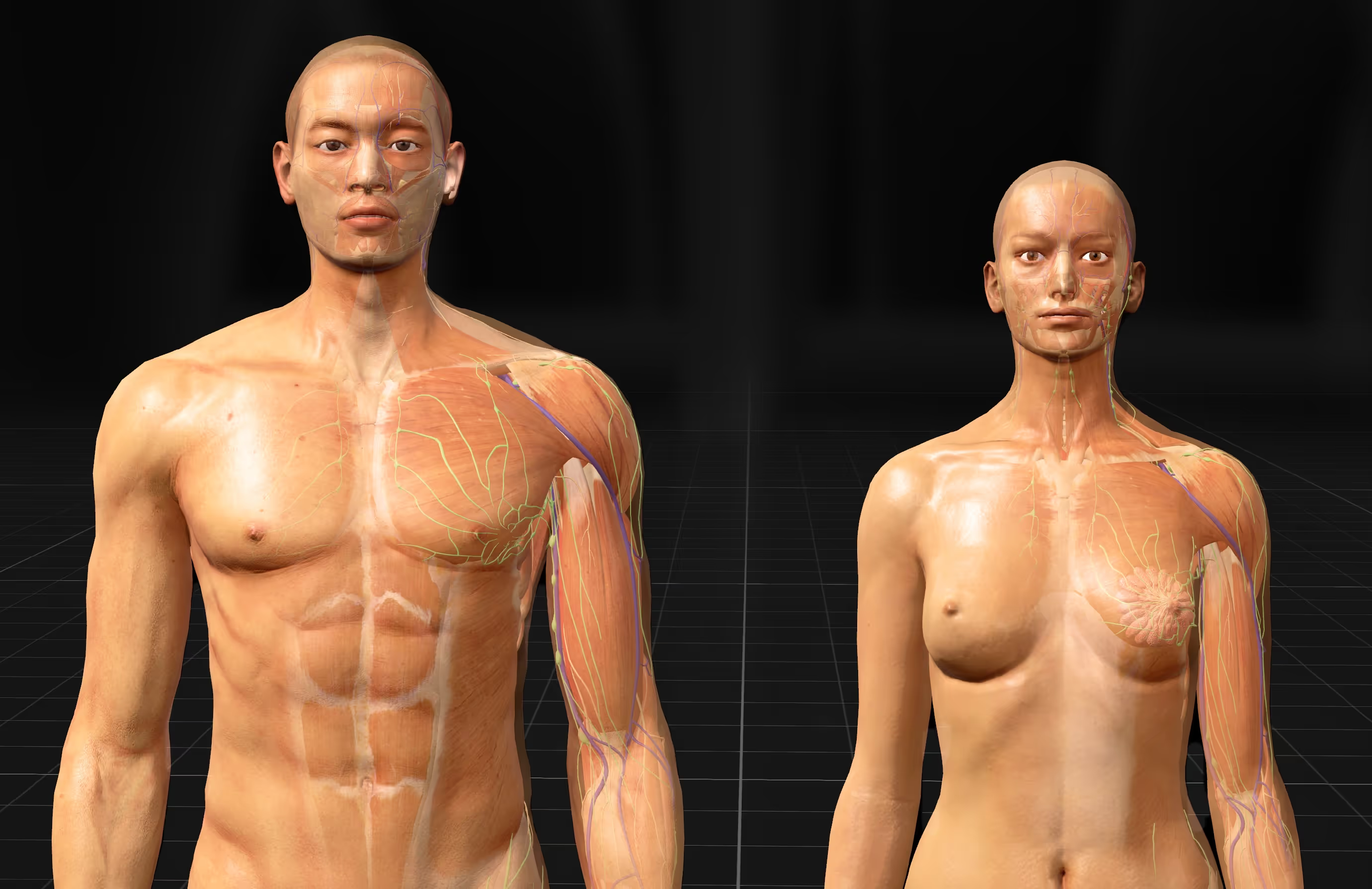
These atlases typically cover all major body systems—skeletal, muscular, cardiovascular, nervous, and more—rendered in detailed 3D. Some run directly in your web browser, others are downloadable apps for your phone or computer, and the most immersive versions use VR headsets to place you inside the anatomy itself.
- 3D body atlas: a digital application that renders anatomical structures in three dimensions for interactive exploration
- Interactive navigation: the ability to rotate, zoom, pan, and examine the human body from any angle
- Structure isolation: a feature that hides certain layers or systems so you can focus on specific organs, muscles, or nerves
Why Use a 3D Human Anatomy Model for Learning
For generations, anatomy education has relied on textbooks, diagrams, and cadaver labs. While these methods work, they share a common limitation: flat images struggle to show how structures actually relate to each other in three-dimensional space.
A 3D anatomy model changes this dynamic entirely.
Improved Understanding of Spatial Relationships
The human body is a complex arrangement of organs, vessels, nerves, and muscles that overlap, wrap around, and pass through one another. A flat cross-section can only hint at these relationships.
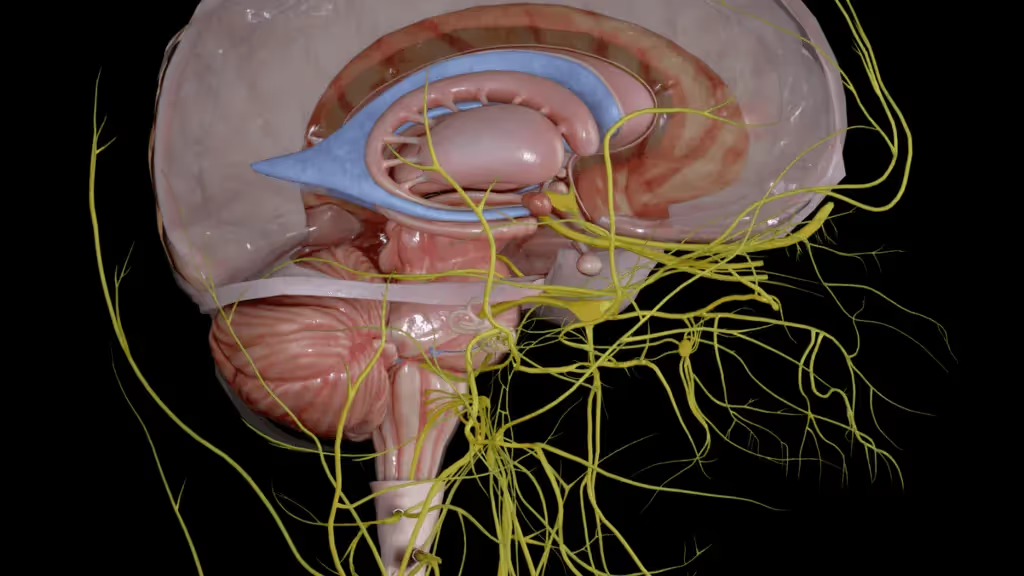
With a 3D model, you can trace a nerve from its origin in the brain, through the skull, and out to the face. You can see exactly how the heart sits between the lungs, or how deep muscles layer beneath superficial ones. This kind of spatial awareness is what separates memorizing anatomy from truly knowing it.
Consider how you navigate an unfamiliar neighborhood using Google Maps. You check street names, note landmarks, and build a mental picture of how everything connects. Learning anatomy works the same way—once you understand where structures are in relation to each other, the whole picture starts to make sense.
Higher Information Retention Compared to Textbooks
Interactive, immersive learning tends to stick better than passive reading. When you engage with a 3D model—rotating it, isolating structures, exploring from different angles—you are actively processing the information rather than just looking at it.
This active engagement appears to help with memory formation, though the degree varies from person to person. Many students find that spending time with a 3D atlas before an exam helps them recall spatial relationships more easily than reviewing flat diagrams alone.
Repeatable Practice Without Physical Models
Cadaver labs are invaluable, but they come with constraints. Access is limited, costs are high, and once a dissection is complete, you cannot undo it to try again.
A digital 3D atlas offers unlimited practice sessions. You can dissect the same region dozens of times, approaching it from different angles or focusing on different structures with each pass. This repeatability is particularly useful when preparing for practical exams where you need to identify structures quickly and accurately.
Accessible Learning from Any Location
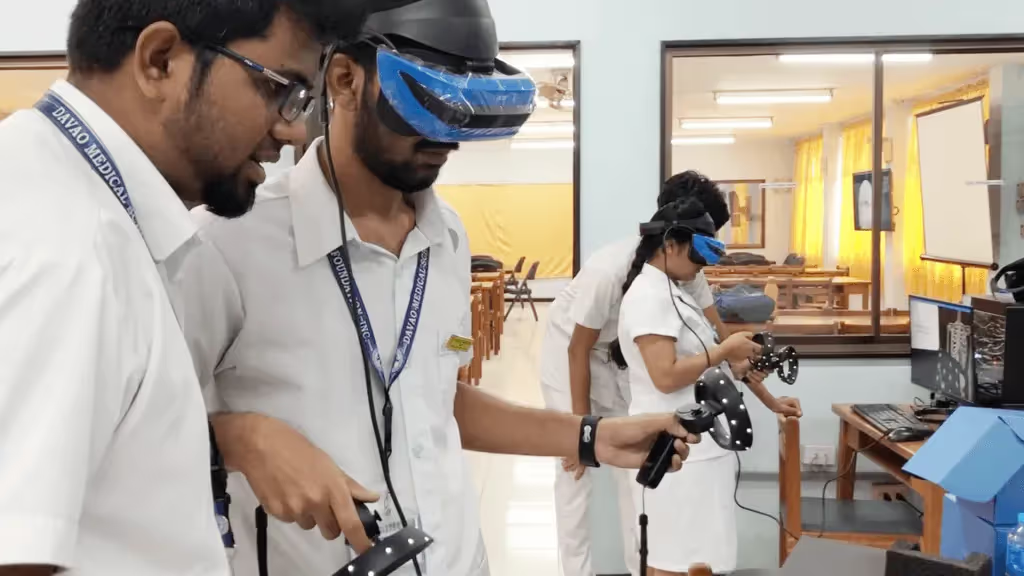
With a 3D anatomy app on your phone or laptop, you can study during a commute, between classes, or at home. VR platforms extend this further—put on a headset, and you have a full anatomy lab wherever you happen to be.
This flexibility means more time with the material and fewer barriers to consistent practice.
Essential Features of Interactive Human Anatomy Tools
Not all 3D anatomy tools offer the same capabilities. When evaluating options, look for features that support deep exploration rather than just surface-level viewing.
3D Navigation with Rotate, Zoom, and Pan
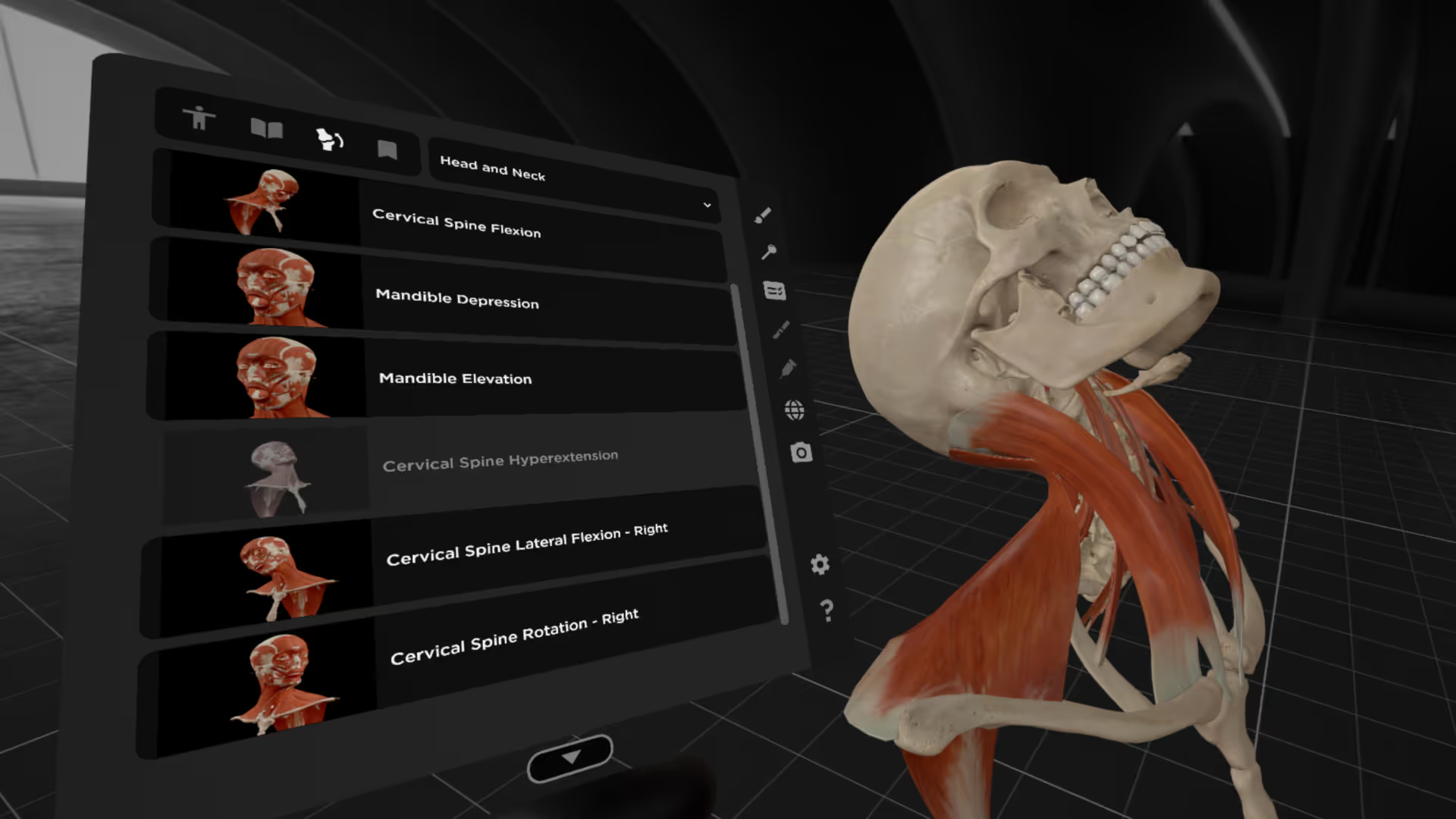
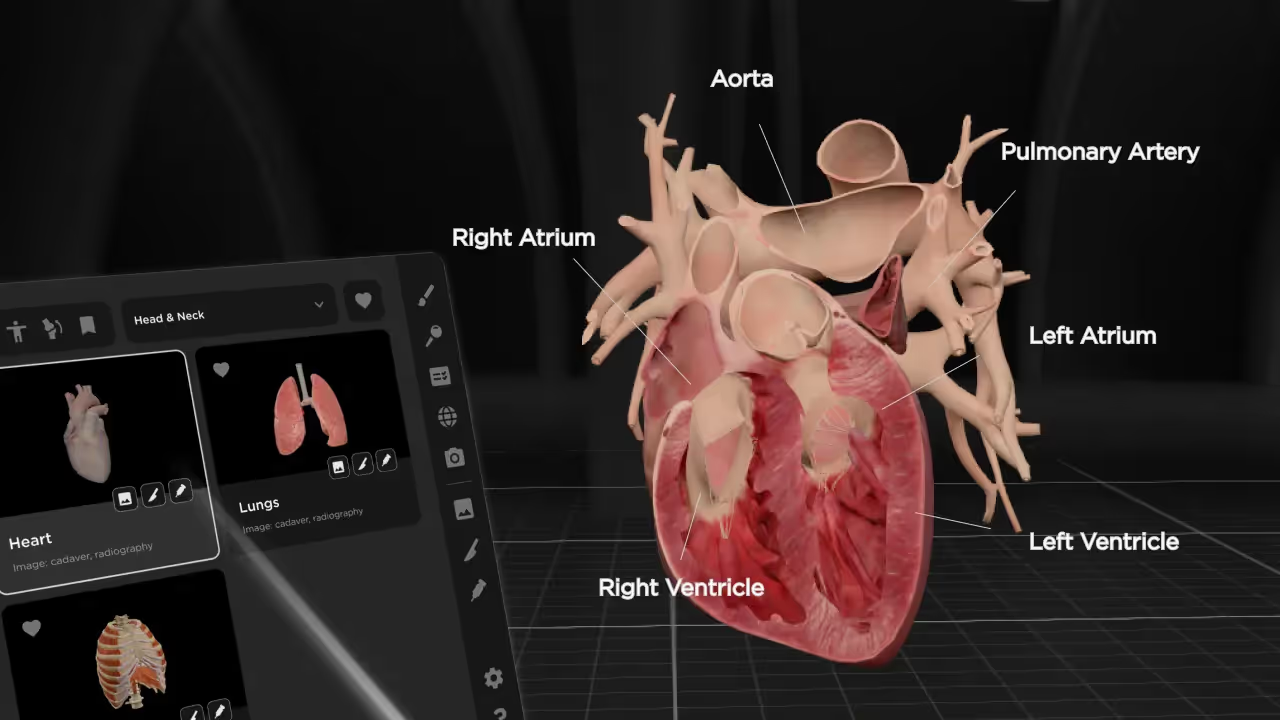
Basic navigation lets you move around the model freely. On a touchscreen, this typically involves pinch-to-zoom and swipe-to-rotate gestures. On desktop, you click and drag with a mouse. In VR, you can physically walk around the model or use controllers to reposition it in space.
Layer-by-Layer Dissection Controls
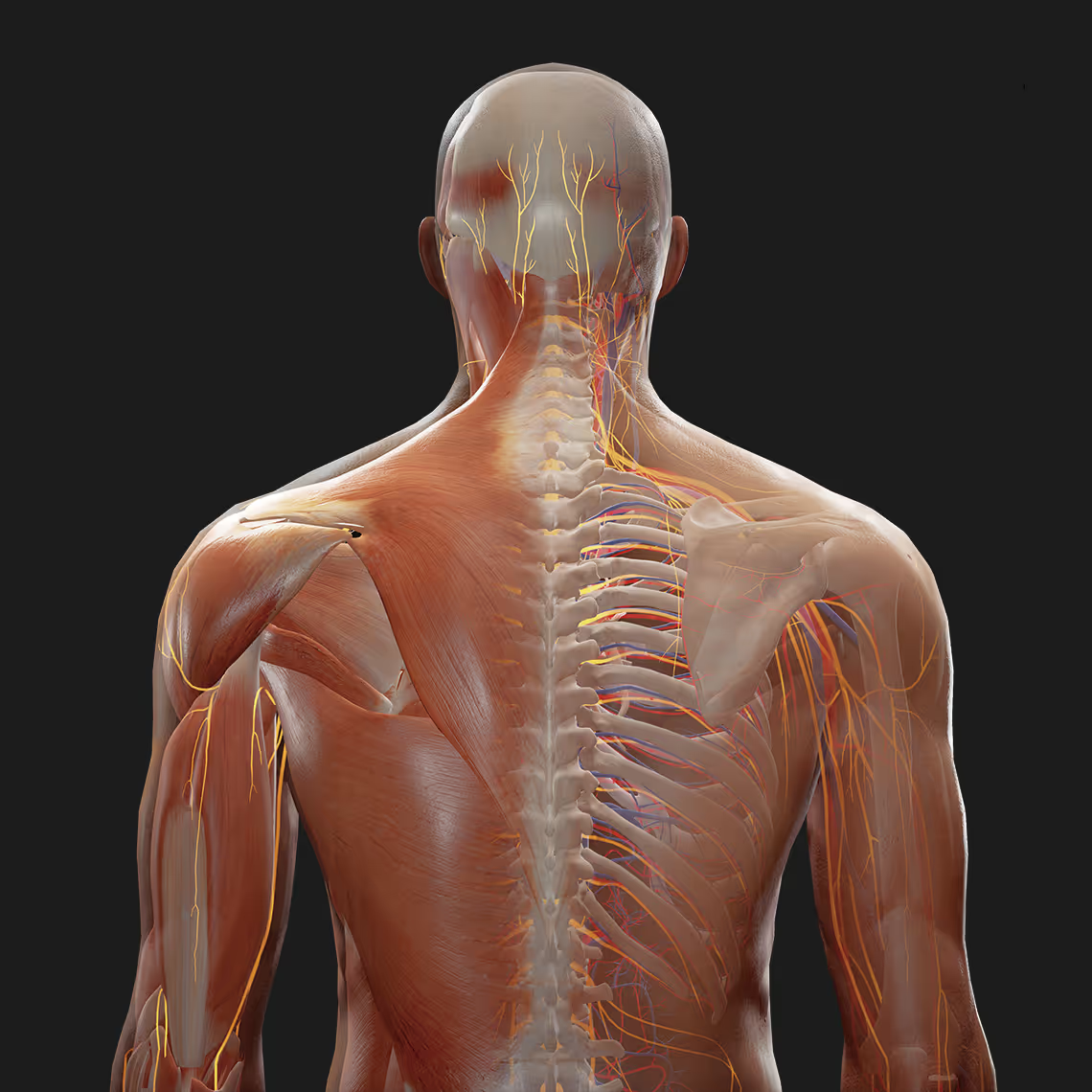
The ability to peel away layers is what makes a 3D atlas feel like a virtual dissection. You can remove skin to see muscles, then remove muscles to see bones and organs beneath. This simulates the experience of cadaver dissection without the permanence—you can always reset and start over.
Structure Isolation and Transparency Mode
Sometimes you want to focus on a single structure without losing sight of its surroundings. Transparency mode makes certain tissues see-through, so you can examine how a nerve passes behind a muscle or how a vessel runs alongside a bone while still seeing the broader context.
Searchable Labels and Anatomical Descriptions
A good atlas includes detailed labels with information about each structure. For muscles, this might include origin, insertion, innervation, and action. For nerves, you might see branches and distribution patterns. Search functionality lets you find structures instantly rather than hunting through menus.
Multi-Language Terminology Support
Many anatomy applications display terms in Latin, English, and other languages. This is particularly helpful for international students or anyone preparing for exams that use specific terminology conventions.
Anatomical Systems in a Complete 3D Anatomical Model
A comprehensive 3D body atlas covers all major body systems. Here is what you can typically expect to find.
Skeletal System
Bones, joints, cartilage, and ligaments that form the body's structural framework. Quality models show individual bone features like foramina (openings for nerves and vessels), processes (bony projections), and articulating surfaces where bones meet.
Muscular System
Superficial and deep muscles with attachments clearly marked. The best atlases include information on muscle actions and which nerves control them.
Cardiovascular System
The heart, arteries, veins, and capillary networks. Some models animate blood flow to show circulation pathways through the body.
Nervous System
Brain, spinal cord, cranial nerves, and peripheral nerve branches. Tracing nerve pathways is one area where 3D visualization truly excels over flat diagrams—you can follow a nerve from its origin all the way to its destination.
Respiratory System
Airways from the nasal cavity through the trachea and bronchial tree, plus the lungs and associated structures involved in breathing.
Digestive System
The gastrointestinal tract from mouth to intestines, including accessory organs like the liver, gallbladder, and pancreas.
Additional Body Systems
Complete atlases also include the endocrine, lymphatic, urinary, reproductive, and integumentary systems. Having all systems in one platform lets you study how they interact and overlap in the same anatomical space.
Types of 3D Human Anatomy Platforms
3D anatomy tools come in several formats, each with different strengths depending on how you plan to use them.
Web-Based Human Anatomy 3D Model Free Online Tools
Browser-based atlases like Zygote Body require no download—just open a webpage and start exploring. These are convenient for quick reference, though they often have limited detail compared to dedicated applications. Many offer free basic access with premium features available through subscription.
Mobile and Desktop Anatomy 3D Applications
Downloadable apps for iOS, Android, macOS, and Windows provide offline access and typically include more detailed models than web-based tools. Apps like Human Anatomy Atlas and Complete Anatomy fall into this category. They work well for self-study and are portable enough to use anywhere.
Virtual Reality Anatomy Platforms
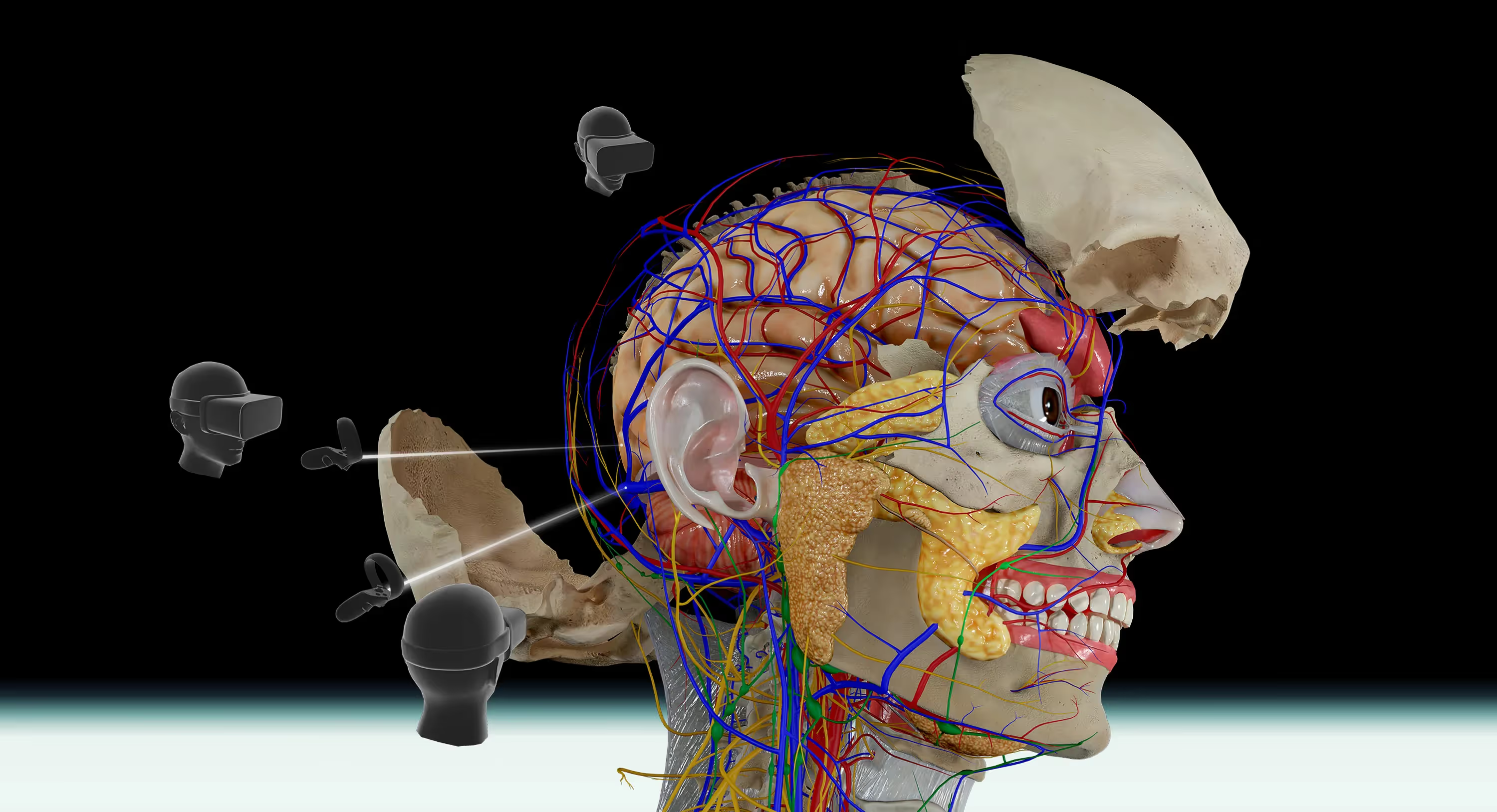
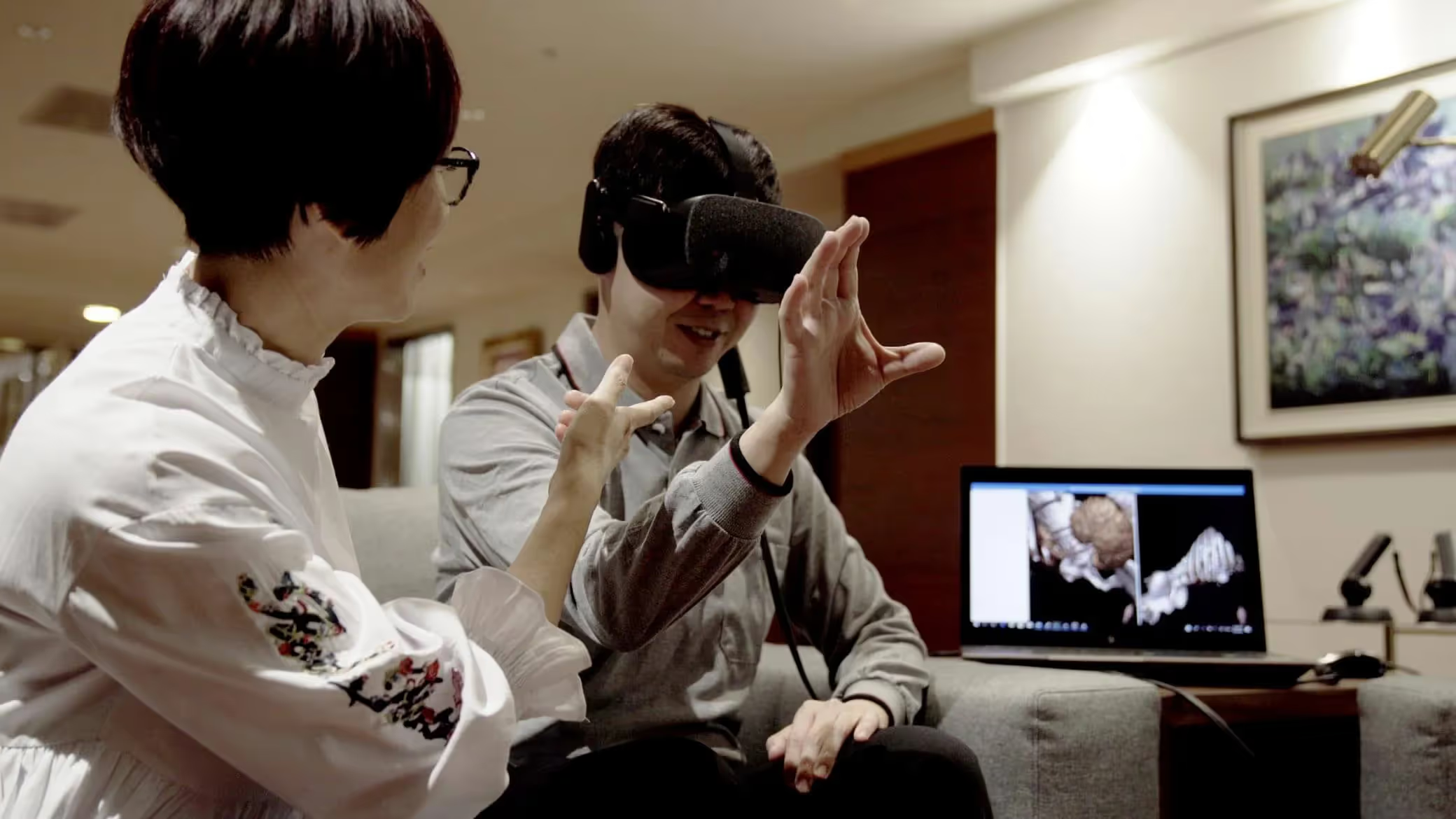
VR platforms represent the most immersive option available. Rather than viewing anatomy on a flat screen, you step inside the body and examine structures at life size. This creates a sense of scale and spatial relationship that screen-based tools simply cannot replicate.
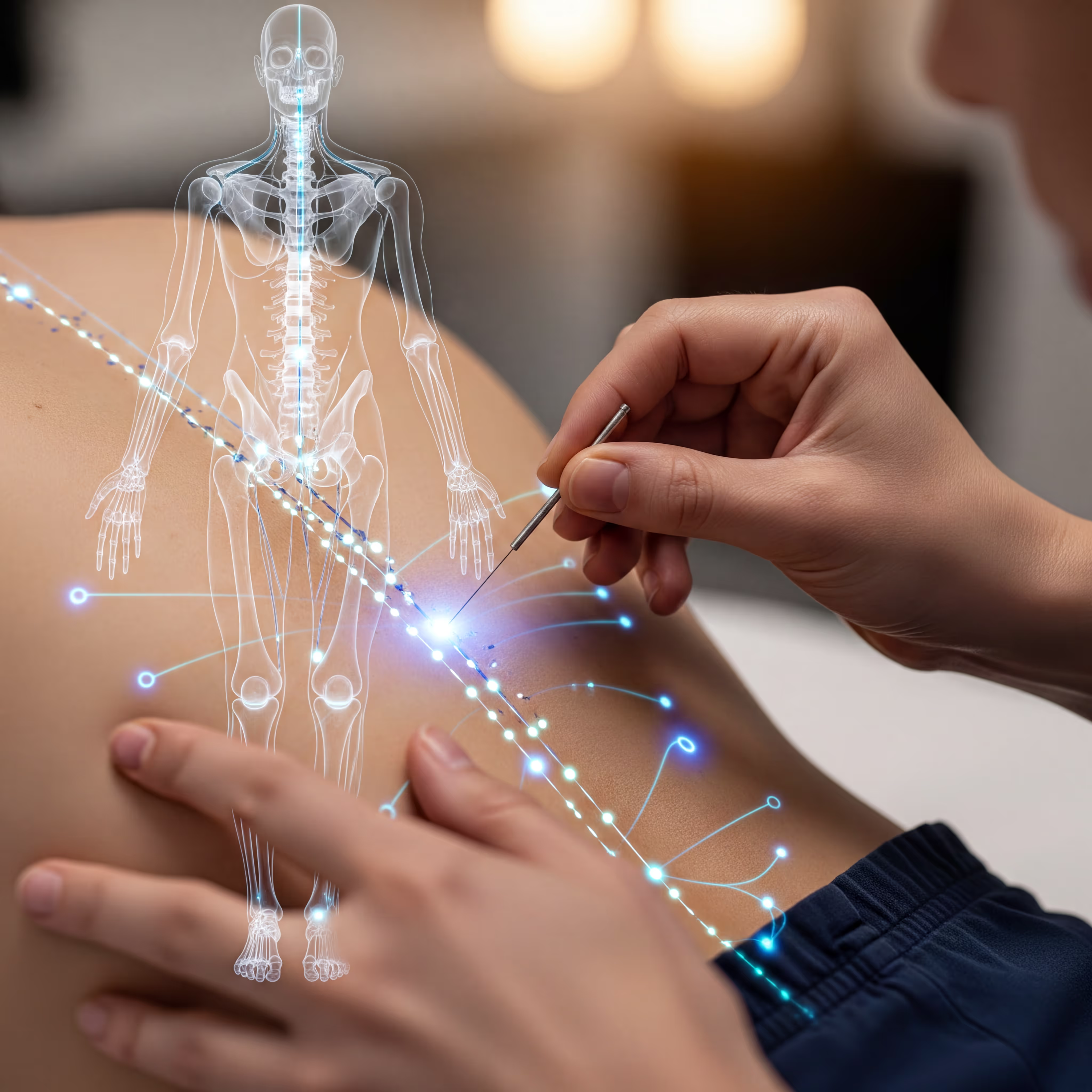
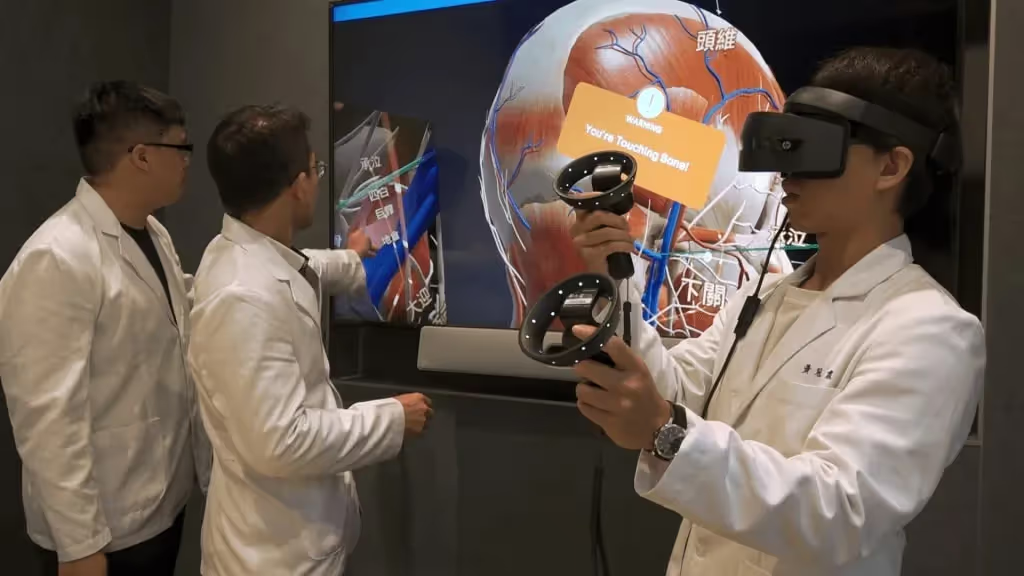
BodyMap, for example, lets you explore detailed human anatomy in VR while also supporting acupuncture point visualization through AcuMap—useful for students in both medical and traditional medicine programs.
How to Use a Human Body 3D Viewer
If you have never used a 3D anatomy tool before, here is a straightforward approach to get started.
1. Choose an Anatomical System or Region
Begin by selecting what you want to study. Most atlases let you choose a body system (like muscular or nervous) or zoom to a specific region (like the head and neck). Starting with a focused area prevents overwhelm.
2. Navigate the Model with Touch or Controller Input
Use gestures or controls to rotate the model and find the angle you want. Spend a few minutes getting comfortable with navigation before diving into detailed study—this makes everything else easier.
3. Isolate Structures and Remove Layers
Once you have oriented yourself, start removing layers to see deeper structures. Try isolating a single muscle or nerve to examine it without visual clutter, then add surrounding structures back to see how everything fits together.
4. Search for Specific Anatomy and Save Bookmarks
Use the search function to jump directly to structures you are studying. Save bookmarks for views you want to revisit during review sessions—this saves time when you return to the material later.
Desktop 3D Anatomy Viewers vs. Immersive VR Platforms
Both screen-based and VR anatomy tools have their place. The right choice depends on your learning goals and available equipment.
VR platforms shine when you want to understand how structures relate in three-dimensional space. The ability to walk around a life-size heart or peer inside the skull creates a kind of understanding that flat screens struggle to match. On the other hand, screen-based viewers are more accessible for quick lookups and casual review.
Who Benefits from an Interactive Human Body Anatomy Atlas
Medical and Health Sciences Students
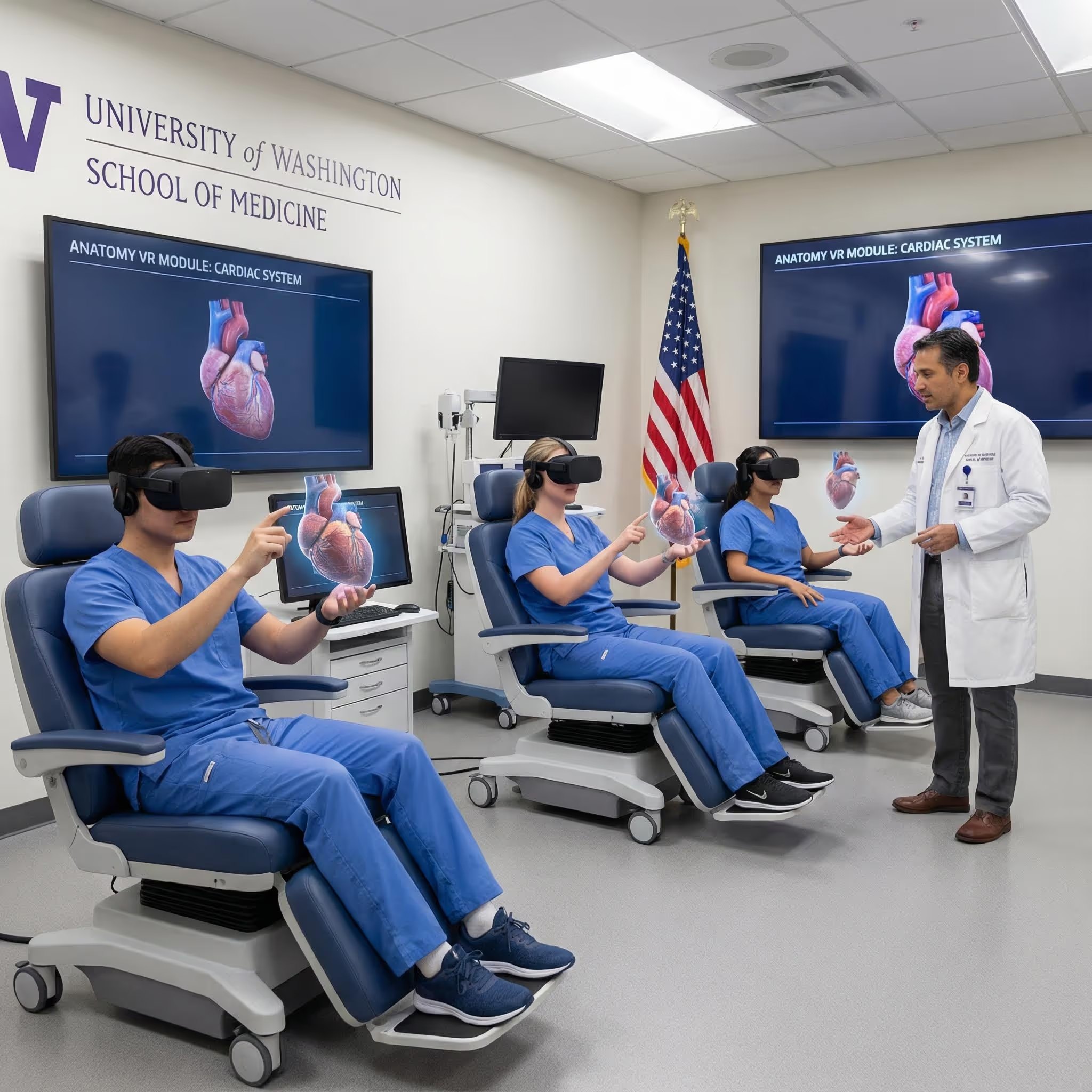
Students in medicine, nursing, physical therapy, and related fields use 3D atlases to supplement lectures and prepare for practical exams. The ability to review anatomy anytime, anywhere fills gaps between limited lab sessions.
Anatomy Educators and Faculty
Instructors use 3D models for classroom demonstrations, replacing or supplementing physical models and projected slides. VR platforms can transform a lecture into an interactive exploration where students examine structures together in real time.
Acupuncture Students and Practitioners
Precise anatomical knowledge is essential for safe, effective point location. Platforms that combine anatomy with acupuncture point visualization—like MAI's AcuMap—help practitioners understand exactly what structures lie beneath each point and how deep to needle safely.
Clinicians and Healthcare Professionals
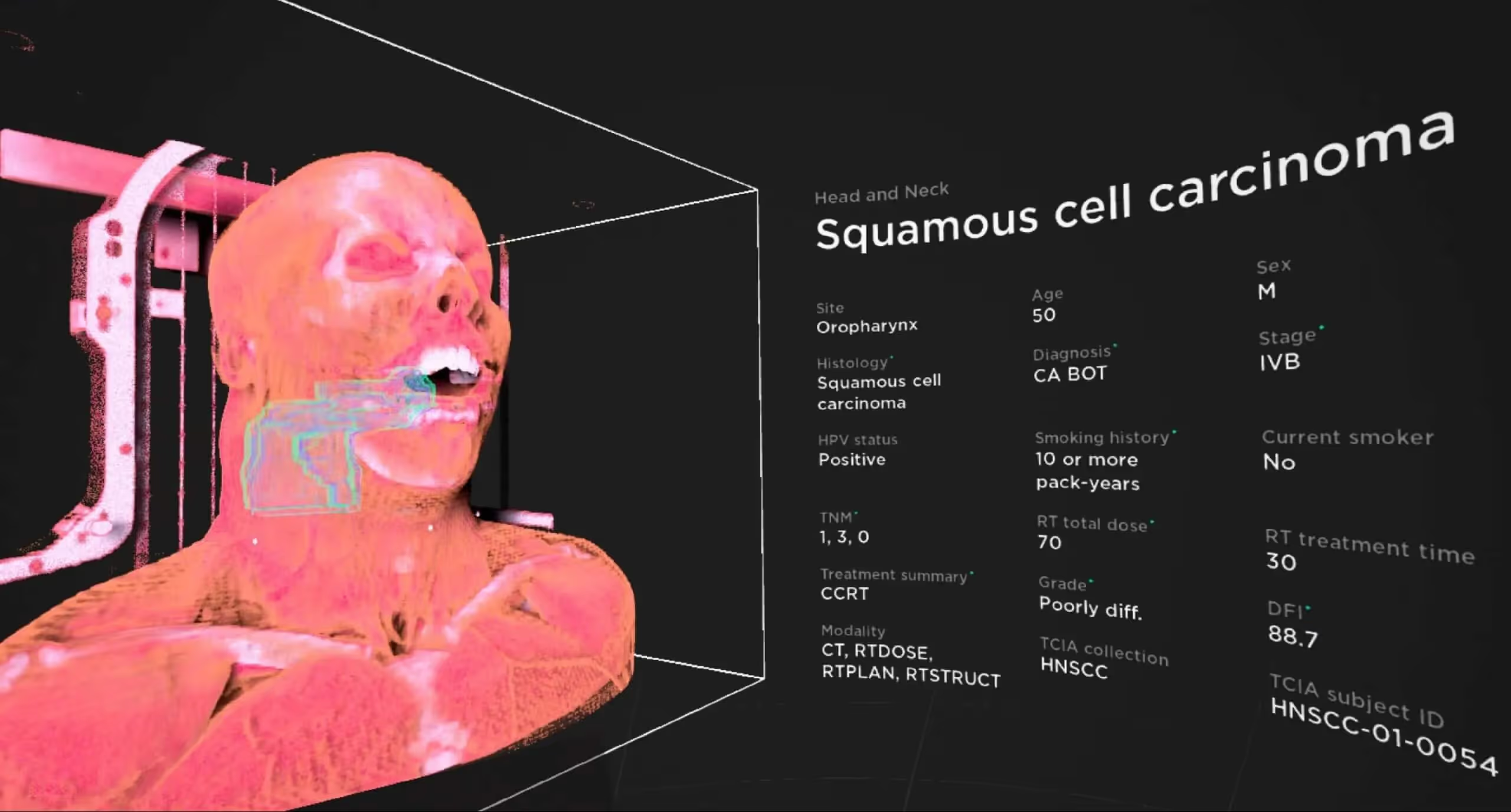
Practicing clinicians use 3D atlases to refresh their knowledge or explain anatomy to patients. Showing someone a 3D model of their spine is often more effective than describing it verbally—patients can see exactly what you are talking about.
How to Choose the Right Anatomy 3D Model
When selecting a 3D anatomy platform, consider what matters most for your situation:
- Anatomical detail: Does the model include all the systems and structures you are studying?
- Platform compatibility: Is it available on your device or preferred VR headset?
- Interaction features: Does it offer layer controls, transparency, search, and bookmarks?
- Educational support: Are there quizzes, detailed labels, and descriptions to support learning?
- Pricing model: Is it subscription-based, a one-time purchase, or free with limitations?
Start Learning Human Anatomy in Immersive 3D
A 3D body atlas transforms anatomy education by making spatial relationships visible, explorable, and memorable. Whether you choose a web-based viewer for quick reference or a VR platform for deep immersion, interactive 3D models offer advantages that static images cannot match.
For the most complete spatial understanding, VR platforms let you step inside the body and examine structures at true scale. This is especially valuable for complex regions where multiple systems intersect and overlap.
Start a free trial of the BodyMap anatomy platform to experience interactive human anatomy in virtual reality.
Frequently Asked Questions about 3D Body Atlases
Is a 3D body atlas accurate enough for medical education?
Reputable 3D anatomy models are built from medical imaging data such as CT and MRI scans, then reviewed by anatomists and medical professionals. They are suitable for educational use alongside traditional resources like textbooks and cadaver labs, though they are typically used as supplements rather than replacements.
Can a 3D anatomy model replace cadaver dissection?
3D models complement cadaver labs rather than fully replacing them. They provide unlimited, repeatable practice and help students prepare for dissection. Many programs use both approaches together for comprehensive training.
Are there free human anatomy 3D models available online?
Yes, several platforms offer free online 3D anatomy viewers with basic features. Zygote Body and Anatomy Learning are two examples. Premium versions typically unlock more detailed models, additional systems, and advanced tools like quizzes and annotations.
What is the difference between a 3D anatomy app and a VR anatomy platform?
A 3D anatomy app displays models on a flat screen—you look at the anatomy through your device. A VR anatomy platform immerses you inside the model using a headset, creating true depth perception and a sense of scale that screen-based tools cannot provide.
Can I use a 3D body atlas to explain anatomy to patients?
Yes, clinicians frequently use interactive 3D models during patient consultations. Showing patients a visual representation of their anatomy helps them understand diagnoses, procedures, and treatment options more clearly than verbal explanations alone.
Begin your VR anatomy journey today, sign up for a 7-day free trial.
Future of MedTech
Learn how to navigate the 3D model and utilize the tools to master human anatomy—all in one place.
.jpeg)
.avif)
.avif)
.avif)







The Benefits of Acupuncture for Pain Relief

The Importance of Regular Exercise for Mental Health
The Benefits of Meditation for Stress Reduction
The Importance of a Balanced Diet for Overall Health
The Benefits of Yoga for Mind and Body
The Benefits of Meditation for Stress Reduction